3D Asset Workflow: Concepting
- Next workflow phase 3D Asset Workflow: Sculpting
- This site is a part of a series of 3D asset creating process related wiki sites 3D Asset Workflow
The Concept Process
- Discuss at least with the AD and possibly also with the designers and the the writer about what is wanted.
- Think about the story of the asset/character, is it old or young/new, what is the nature of the asset, the environment it will be used in etc. What's the history of the asset. How does all this affect to the look of the asset?
- For example in the Trine style everything should be more or less worn/mossy/crooked to create the organic feeling. Generally nothing should be perfectly straight and symmetrical.
- Search for reference images online (Pinterest is a good option)
- Analyze the reference images, combine ideas, and come up with a general idea for the asset.
- Pick images that have any nice usable ideas that you like. They don’t have to be perfect and often aren't. That's where the concept art steps in!
- Use the best ideas from your reference images and your imagination, never copy stuff 1:1, but shape it to work with your unique asset
- Concentrate on the big forms, silhouette, proportions and the overall design
- Keep the detail level and distribution in balance, have small, medium and large detail and make sure it's not repetitive.
- Fundamentals of Composition very clearly and shortly explained (Check the links under 3. Composition). See NeilBlevins.com : Theory And Techniques.]
- Think about the colors of the asset too. Remember the importance of the values, if it's hard to read in true black & white, it'll be hard to read in color too. See ArtOfScholes.com : Method: Checking Values: Ctrl+Y — Thomas Scholes.
- Create a 2D or 3D concept (quick rough sculpt) of your asset.
- Good concept will make sculpting and texturing easier, and also let the AD and the team know what you are up to.
- 3D asset concept art is not marketing art, so don't use time to make a pretty finished image.
- It’s just a plan and a guide for the sculpting process, and to share the idea with the AD before using a lot of time to make the final asset.
- The details can be specified during the sculpting process, use reference images for this part of the process as well.
Example of the concept process

Trine Flourish Curve Style Guide
PHOTO:Multiple Sources
The final game asset set:


Frozenbyte concept art examples
- Concepts can be anything really depending on the situation
- Usually a very crude concept is enough to communicate the idea
- In many cases the further the design is taken during the concept phase, the easier it'll be in the sculpting phase
- But on the other hand it can be easier to fully figure out the object in 3D based on just a very vague concept
- It depends on the artist and the asset
- Often with characters it's good to take the concept quite far and design some details and colors as well
- These are all concepts made by the 3D artists who also created the final game model so it's up to each artist how far they feel like they want to design in the concept phase
-
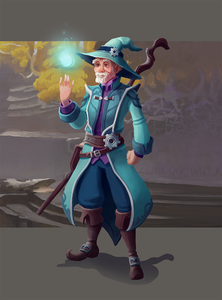 Here only the front of the character was designed during the concepting, the rest was figured out during the sculpting
 -
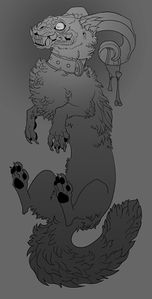 Here only the look of the character was decided in the concept art and the colors for the final model were designed during the texturing phase
 -
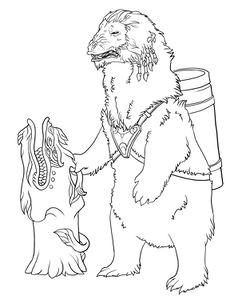 Here only the look of the character was decided in the concept art and the colors for the final model were designed during the texturing phase
 -
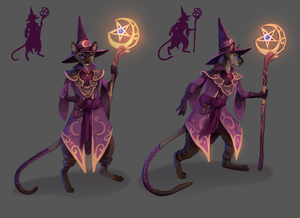 Here only the front of the character was designed during the concepting, the rest was figured out during the sculpting
 -
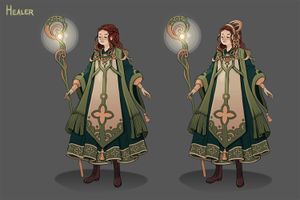 Here only the front of the character was designed during the concepting, the rest was figured out during the sculpting
 -
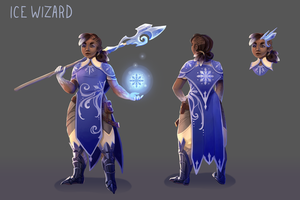 Here both the front and back of the character are designed so the sculpting process was faster for that part
 -
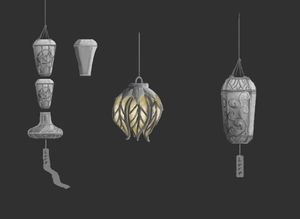 Often a simple concept gets the job done
 -
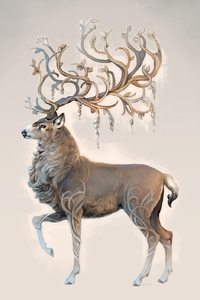 Sometimes it's ok to take the concept further, then it can be used possibly in marketing too
 -
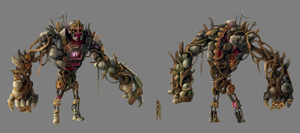 With a complicated asset it's useful to solve most of the design problems in the concept phase
 -
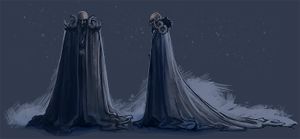 In some cases the mood and feeling of the character can be brought out more than the actual details
 -
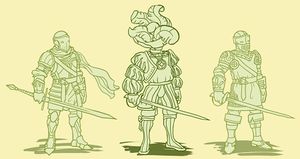 Different ideas for the character
 -
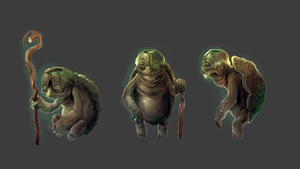 Here are different ideas for the character, the one on the left was chosen to be made into the final game asset
 -
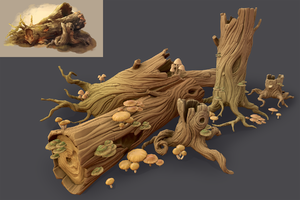 Here you can see the concept and the final asset set based on that
 -
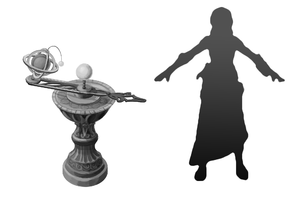 Scale is important, here the asset seems a little bit too small compared to the character but it can be fixed before sculpting phase and time is saved
 -
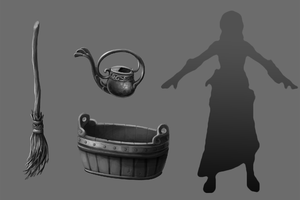 It's very much recommended to keep the scale of the assets in mind right from the beginning of the design process
 -
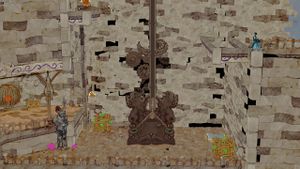 A concept for an environment asset can be just a crude scribble over a screenshot


Sources
[PHOTO: How to use reference images in concepting.jpg] - Source list :
- Img. 1 : Pintrest [accessed June 5, 2018] (311) Pinterest. Available at: https://fi.pinterest.com/pin/557883472571184162/
- Img. 2 : outdoorartPROS [accessed June 5, 2018] Garda Three Tier Pond Fountain. Available at: https://www.outdoorartpros.com/collections/tiered-outdoor-fountains/products/garda-three-tier-pond-fountain
- Img. 3 : Lushome [accessed June 6, 2018] Water Fountains, Front Yard and Backyard Designs. Available at: http://www.lushome.com/water-fountains-front-yard-backyard-designs/52334
- Img. 4 : SpecialtyFountains [accessed June 5, 2018] Bronze Fountain Statuary. Available at: http://www.specialtyfountains.com/bronze_fountains.html
- Img. 5 : FFBarbecues [accessed June 6, 2018] FONTAINES POUR JARDIN ROMANA – FFBarbecues. Available at: https://www.ffbarbecues.com/produit/fontaines-pour-jardin-romana/
- Img. 6 : Natural History Photography [accessed June 6, 2018] Nyc Public Library Photo, Stock Photo of NYC Public Library, Phillip Colla Natural History Photography. Available at: http://www.oceanlight.com/spotlight.php?img=11155
- Img. 7 : Flickr [accessed June 5, 2018] Robed angel looking down | Monceau | Flickr. Available at: https://www.flickr.com/photos/monceau/6291672868
- Img. 8 :China Daily Europe [accessed June 6, 2018] Giant lion sculpture. Available at: http://www.chinadaily.com.cn/china/2007-05/08/content_868100.htm
- Img. 9 : Geograph[accessed June 5, 2018] Swan fountain, Darignton. Available at: http://www.geograph.org.uk/photo/1401554
- Img. 10 : Palermo e dintorni ma anche… [accessed June 5, 2018] Palermo e dintorni ma anche...: maggio 2009. Available at: http://palermodintorni.blogspot.com/2009/05/